

Running a food blog means constantly balancing recipe creation, photography, SEO, social media, and content scheduling. For me, Pinterest was always one of the most important traffic sources – but also one of the most time-consuming parts of blogging.
Creating fresh pins manually for every recipe quickly became overwhelming.
That’s when I started looking for a way to automate Pinterest without sacrificing quality or consistency.
Why Pinterest Is So Important for Food Bloggers
Pinterest works differently from most social platforms. A single recipe pin can continue bringing traffic to your blog for months or even years.
For food bloggers, Pinterest can become a major source of:
- organic traffic
- recipe discovery
- long-term blog growth
- page views
- ad revenue
The problem is that Pinterest rewards consistency, and manually creating:
- new pin designs
- titles
- descriptions
- scheduling plans
takes an incredible amount of time.
The Tool That Changed My Workflow
After testing different Pinterest solutions, I discovered BlogToPin.
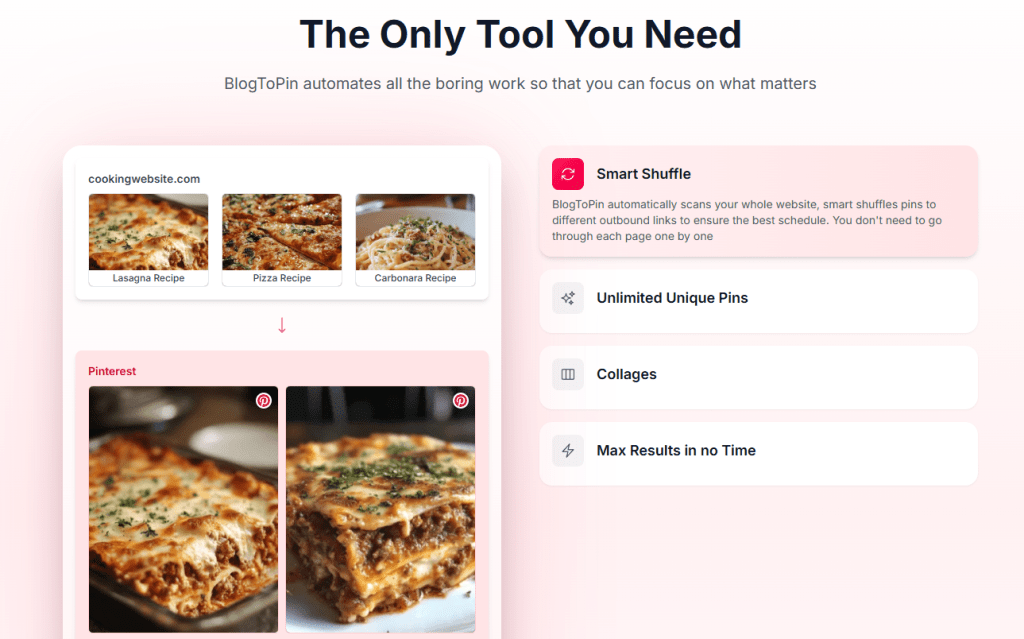
What immediately stood out to me was how focused it is on automation for bloggers.
Instead of manually uploading pins every day, BlogToPin scans your website, pulls content directly from your blog posts, and automatically creates Pinterest pins for you.
The setup process was surprisingly simple.
I connected my blog sitemap, linked my Pinterest account, and within minutes the platform started generating pins from my existing recipes.
Smart Automation That Saves Hours
One feature I really love is the Smart Shuffle system.
Instead of manually choosing every outbound link and board, BlogToPin automatically scans your website and intelligently distributes pins to create a better posting schedule.
This means:
- less repetitive work
- better Pinterest consistency
- easier scheduling
- more content circulating automatically
As someone managing a recipe blog, this saved me an enormous amount of time.
Unlimited Unique Pins From Existing Content
One of the biggest struggles for food bloggers is constantly creating “fresh pins.”
BlogToPin helps solve this by generating multiple unique pins from your existing blog content.
Instead of designing everything manually in Canva, the platform can automatically create:
- multiple pin layouts
- collages
- different visual styles
- optimized Pinterest designs
using your real recipe images.
This is especially useful if you already have dozens or hundreds of published recipes on your blog.
The AI Pin Feature Became One of My Favorites
Recently, BlogToPin introduced a feature called AI Pin, and honestly, I use it all the time now.
What makes this feature different is that it creates beautiful Pinterest pin designs using your real food photography — not fake AI-generated images.
As a recipe blogger, that’s extremely important to me.
I want my pins to:
- match my recipes
- stay authentic
- reflect my real content
- keep my brand consistent
The AI Pin feature transforms existing recipe photos into eye-catching Pinterest graphics automatically while still keeping everything natural and true to the original recipe.
The results honestly surprised me.
The pins look clean, professional, and optimized for Pinterest without looking overly artificial.
I still enjoy designing custom graphics sometimes, but for maintaining consistency and saving time, this feature has become one of my favorite tools inside BlogToPin.
[Insert Your AI Pin Examples Here]
The Analytics Helped Me Understand What Works
Another feature I found extremely useful is the analytics dashboard.
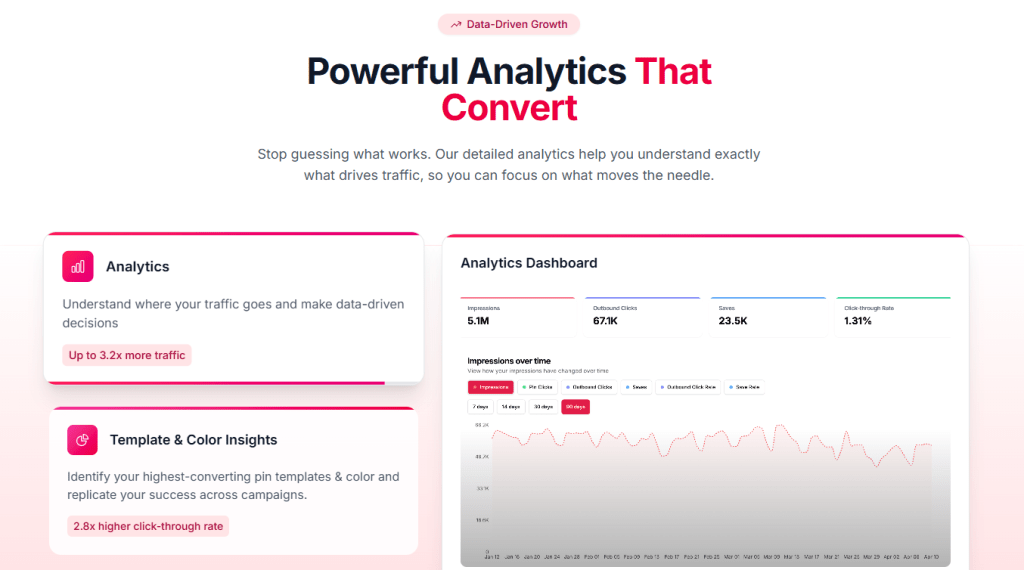
Instead of guessing which pins perform best, BlogToPin provides detailed analytics about:
- impressions
- outbound clicks
- saves
- click-through rates
- top-performing content
This helped me better understand:
- what types of recipe pins perform well
- which designs get more clicks
- what content brings the most traffic
For bloggers trying to grow Pinterest strategically, having access to this data is incredibly valuable.
The Results I Started Seeing
The biggest change after automating my Pinterest workflow was consistency.

My content continued posting regularly even during busy weeks when I didn’t have time to manually create new pins every day.
Over time, I started noticing:
- increased Pinterest activity
- more outbound clicks
- more visibility for older recipes
- stronger overall Pinterest growth
Most importantly, I stopped feeling overwhelmed by Pinterest scheduling.
Instead of spending hours manually creating pins every week, I could focus more on:
- creating recipes
- improving blog content
- photography
- SEO
- growing my website
Is BlogToPin Worth It for Food Bloggers?
In my experience, yes – especially if:
- you struggle with Pinterest consistency
- you have a growing recipe archive
- you don’t have time to create pins daily
- you want to automate repetitive Pinterest work
- you want to grow Pinterest traffic more efficiently
No tool replaces quality content, but automation can make the entire Pinterest process much more manageable.
The AI Pin Feature Became One of My Favorite Tools
One of the newer features that I’ve been using a lot recently is the AI Pin feature inside BlogToPin.
What I personally love about it is that it creates beautiful Pinterest pins using your real blog images, not random AI-generated food photos.
As a food blogger, this matters a lot to me because I want my Pinterest content to stay authentic and match the recipes on my website.
Instead of replacing your photography, the AI helps transform your existing images into eye-catching Pinterest designs automatically.
The results honestly surprised me.
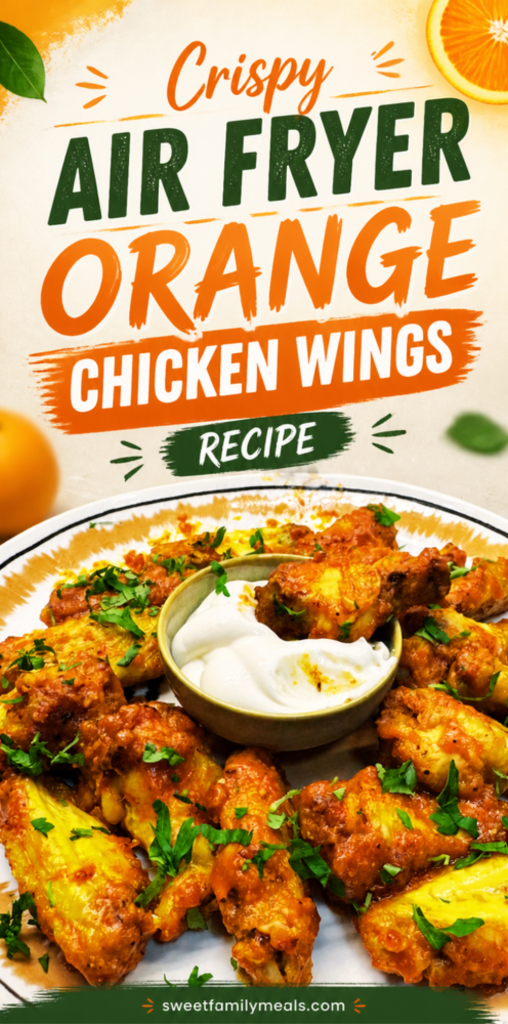
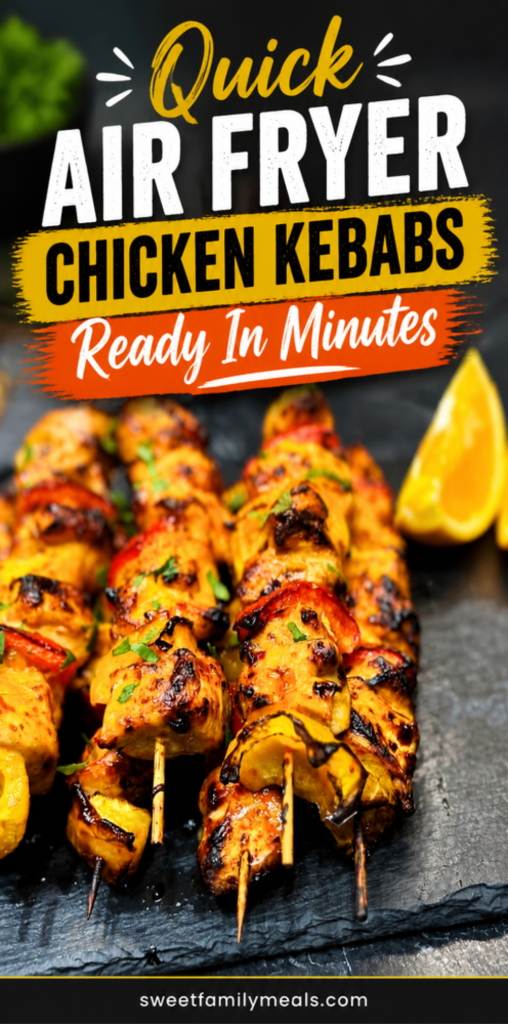
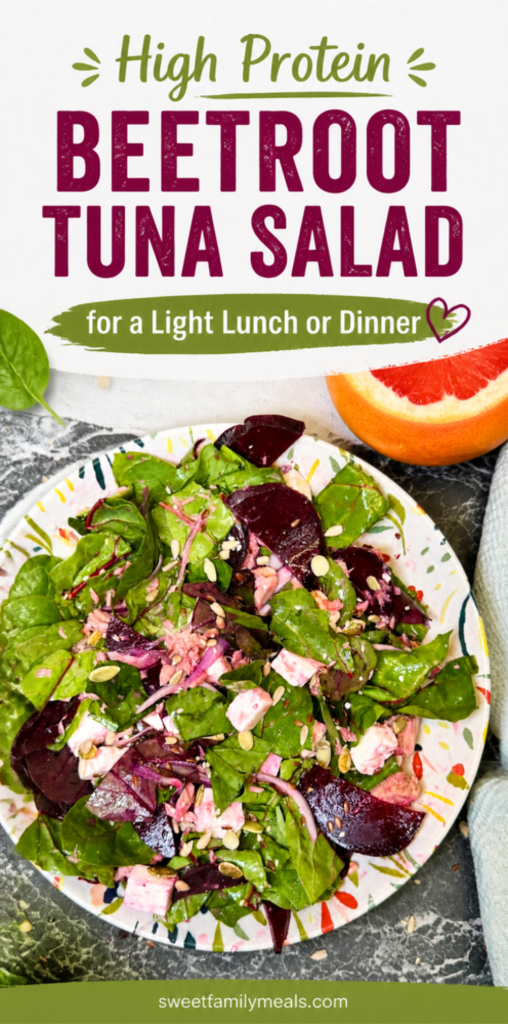
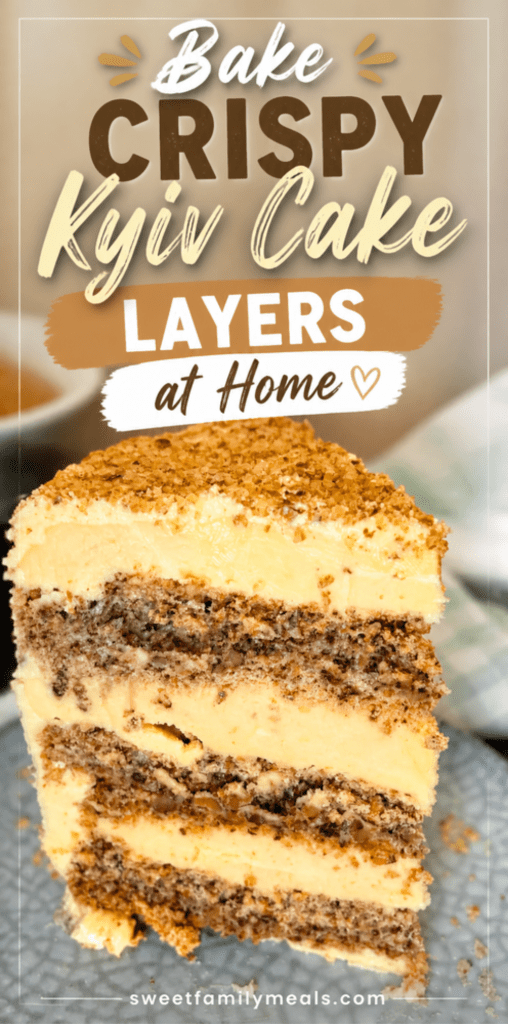
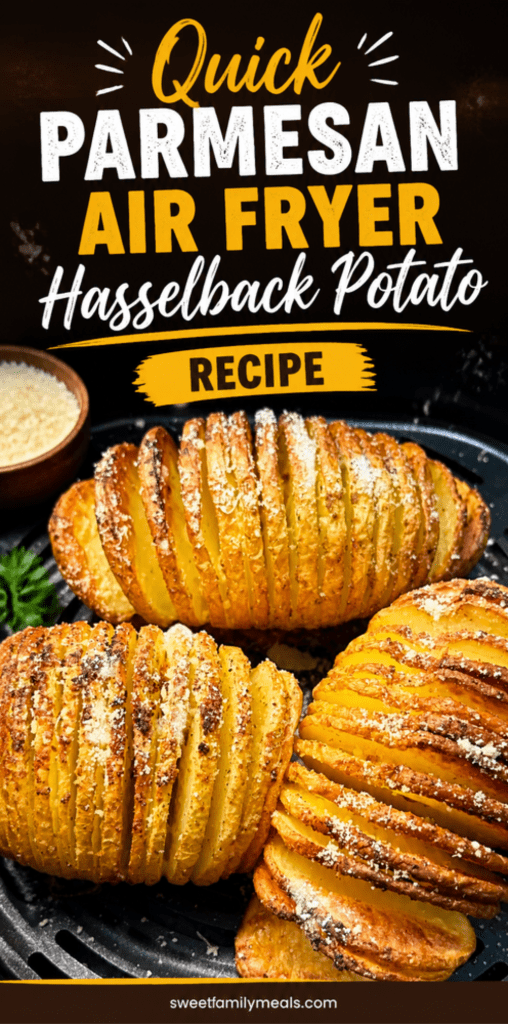
The pins look professional, clean, and optimized for Pinterest while still using my own recipe photos and branding style.
This has saved me even more time because I no longer need to constantly design new pin templates manually in Canva.
I still like creating custom pins sometimes, but for keeping Pinterest active consistently, the AI Pin feature has become one of the tools I rely on most.
Here are a few examples of pins created with the AI Pin feature:
What I also appreciate is that the pins don’t look overly “artificial” or fake. They still feel natural and food-blogger friendly, which is important for building trust with readers on Pinterest.
For anyone managing a recipe blog with a lot of content, this feature can make Pinterest automation much easier and much less time-consuming.
The AI Pin feature, analytics, and automated scheduling have honestly become a major part of how I manage Pinterest now.
Final Thoughts
Pinterest can be one of the best traffic sources for food bloggers, but manually managing pins becomes exhausting very quickly.
Automating part of my Pinterest workflow helped me:
- save time
- stay consistent
- grow traffic
- reduce stress
- focus more on content creation
If you want to check out the tool I personally use for Pinterest automation, you can try BlogToPin here:
This post contains affiliate links, which means I may earn a commission at no extra cost to you if you decide to try the tool.